You are using an outdated browser. Please
upgrade your browser to improve your experience.

\ B Amazing place of memo ~ Basic function ~ /

Bmemo: Notepad app & Todo list
by Foodmenu.world Inc.


What is it about?
\ B Amazing place of memo ~ Basic function ~ /
App Screenshots


App Store Description
\ B Amazing place of memo ~ Basic function ~ /
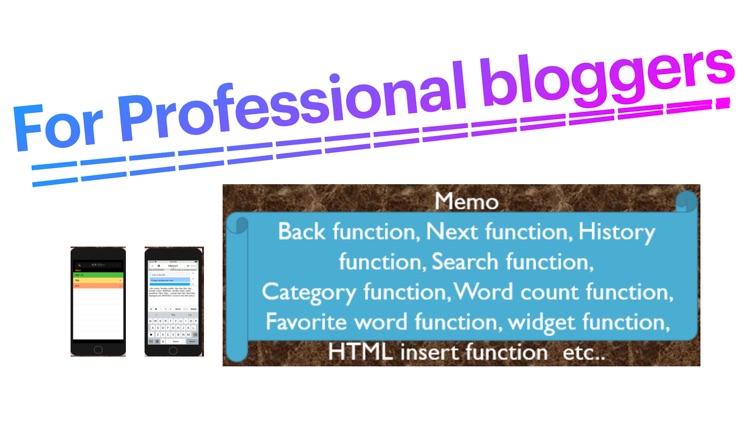
Auto-save memo, count characters, send memo, back button, search, replace, create PDF ...
\ B Amazing place of memo ~ button edition ~ /
Three favorite buttons
-Favorite texts, phrases, "◉", etc.
Back and next buttons
-You can go back and forward before input
History button
-Leave notes as history
Find and replace button
-You can search for characters
-You can also replace characters
\ B The Great Place of Memo ~ Edit Mode ~ /
HTML insertion mode
-You can easily add HTML code. (Headings, etc.)
Dual screen display mode
-You can check how it is loaded on the web
Normal mode
-There is also an ordinary note editing screen.
\ B The awesome part of the memo ~ Short note ~
Take notes very quickly.
-You can move to the next input field on the keyboard.
Other features
-Memo sorting, partial deletion, batch deletion, etc.
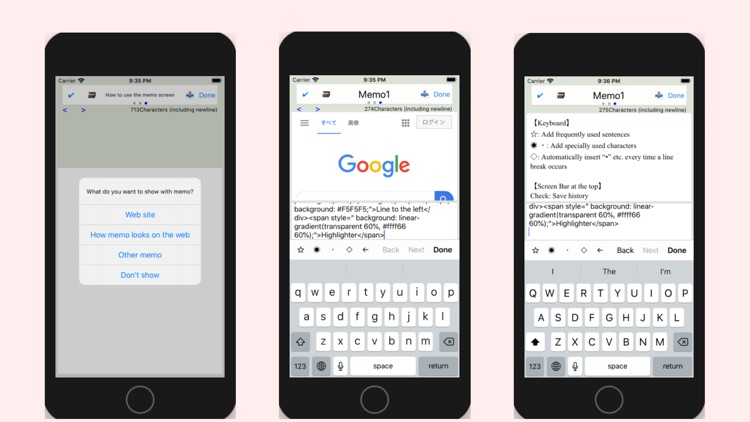
Below is a brief explanation of how to use
【keyboard】
◉ ・ : Special characters can be added
[Bar at the top of the screen]
Check: history can be saved
Title: Edit freely
[Character count]
Press the character number display to change the counting method
* The font size and background color can be changed in the settings.
Disclaimer:
AppAdvice does not own this application and only provides images and links contained in the iTunes Search API, to help our users find the best apps to download. If you are the developer of this app and would like your information removed, please send a request to takedown@appadvice.com and your information will be removed.
AppAdvice does not own this application and only provides images and links contained in the iTunes Search API, to help our users find the best apps to download. If you are the developer of this app and would like your information removed, please send a request to takedown@appadvice.com and your information will be removed.
