You are using an outdated browser. Please
upgrade your browser to improve your experience.

Drone Flight Control - Fully Automated Missions, Semi-Automated Workflows and Manual Flight Tools

Dronelink Flight
by Dronelink


What is it about?
Drone Flight Control - Fully Automated Missions, Semi-Automated Workflows and Manual Flight Tools
App Screenshots




App Store Description
Drone Flight Control - Fully Automated Missions, Semi-Automated Workflows and Manual Flight Tools
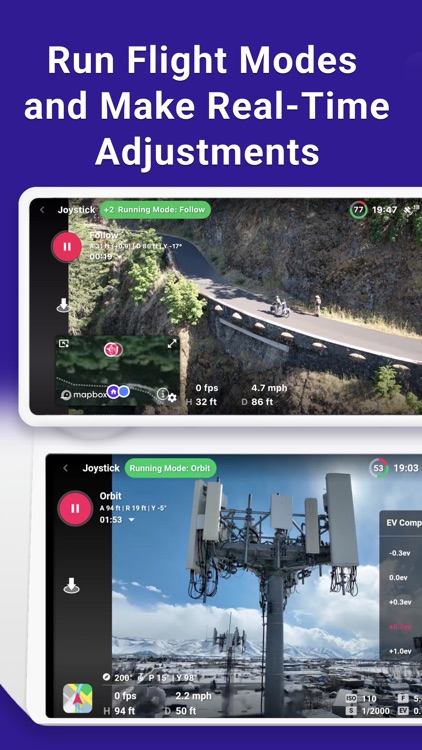
Fly missions for maps, waypoints, orbits, panos, vertical mapping, or inspections. Use flight modes such as orbit, follow, or focus. Link missions together, automate everything, and preview in 3D.
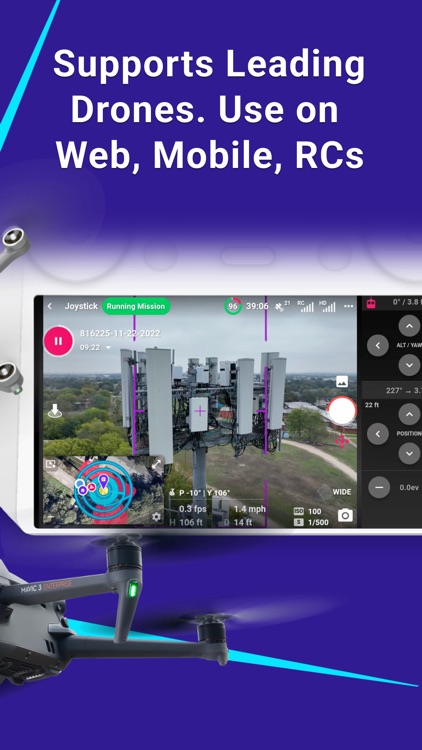
Supports leading drones from DJI and Autel, including Mini, Air, Mavic series drones. Mini 3 / Mini 3 Pro are not supported on iOS.
The free app supports manual flight only. A paid plan is required for automated flight control. Select from different plan levels for Professionals, or Hobbyists.
Use on web, mobile devices, and Remote Controllers.
Trusted by pilots globally for automating flight and data capture for any use case and industry.
Choose between multiple workflows:
(1) Plan missions on any device and configure every detail.
(2) Generate missions on-the-fly in the field, using the position of the drone.
(3) Use flight modes and make real-time adjustments.
Explore the flight path in 3D before flying, get mission estimates, and preview the mission by flying a virtual drone.
Missions are synchronized across devices and ready to fly, open a mission to start it, pause and resume at any time. Customize the flight dashboard to show the details you need during flight.
Use the management dashboard to organize missions, enable integrations, and track flights for one or multiple pilots.
List of supported drones:
https://www.dronelink.com/supported-drones
Terms of Use (UELA)
https://www.dronelink.com/customer-terms
Disclaimer:
AppAdvice does not own this application and only provides images and links contained in the iTunes Search API, to help our users find the best apps to download. If you are the developer of this app and would like your information removed, please send a request to takedown@appadvice.com and your information will be removed.
AppAdvice does not own this application and only provides images and links contained in the iTunes Search API, to help our users find the best apps to download. If you are the developer of this app and would like your information removed, please send a request to takedown@appadvice.com and your information will be removed.
