You are using an outdated browser. Please
upgrade your browser to improve your experience.

Send large files with ease to anybody, anywhere, any time

File Transfer by Infinit - File sharing of unlimited size with your friends and between your devices
by Infinit International, Inc.
Removed from the App Store
Infinit is a file transfer app that works on a number of platforms. Whether you're using iOS, Android, Windows, Mac, or Linux, there's an Infinit app for you. It uses point-to-point transfer, so speeds are blazingly fast.
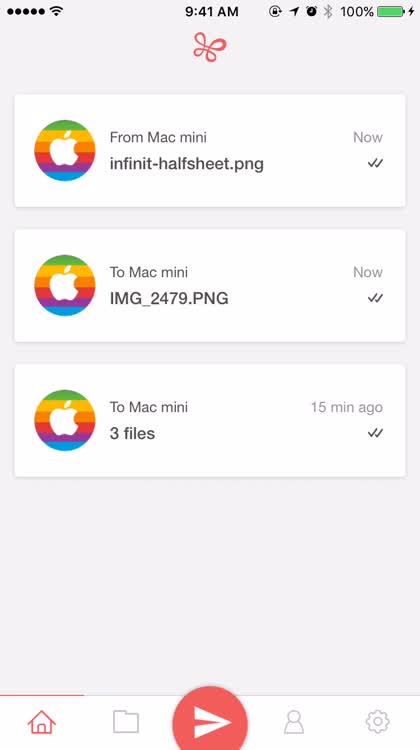
All your received files in one place. The Infinit app is simply designed, with easy to understand tabs and controls. When you receive files, they all appear in a single location for later access. When you're finished with a file, you can just swipe it left to delete it. From the Home screen, the cards that appear can be dismissed by swiping them left or right.

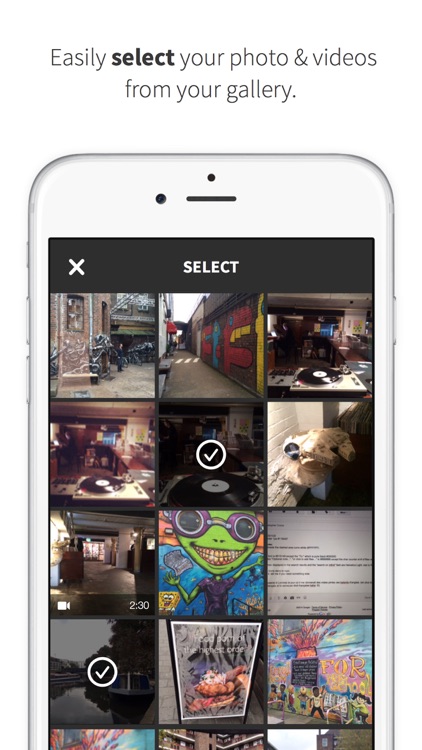
Sending files is a breeze. Sending files with Infinit is equally easy. You just tap the airplane icon, select the files you want to send, and then choose who you want to send to. Your connected devices will appear at the top of the screen, followed by your contacts who have Infinit installed. Want to send to someone who doesn't have Infinit? No problem -- just select them and they'll receive an email or text message with a link to download the file, no account required.
What is it about?
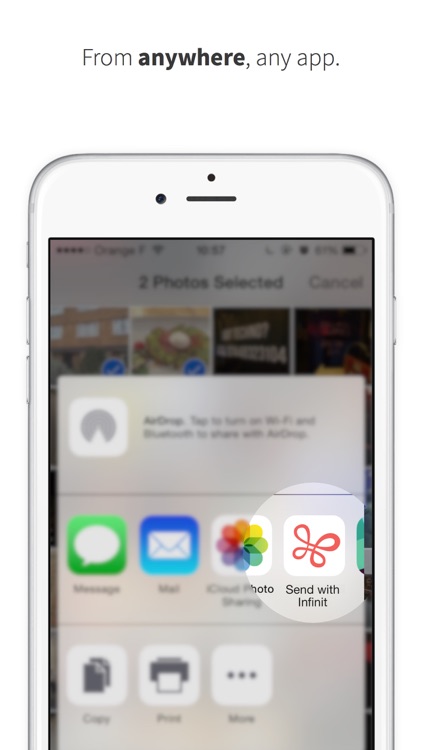
When you install Infinit on your iOS device, you will notice how simple it is to use. If you send files to yourself, you'll get a link to help you install the Infinit client app on your Mac, Windows PC, or Linux computer. You can also send files to other people, even if they don't have Infinit, but it definitely works better if they have the app. Once you give Infinit access to your contacts, people who already have the app will show up at the top. Sending and receiving files is quick and easy, and it's protected by bank-level encryption. There's even an iOS Share extension for sending files from other apps.
For those who...
- Want to be able to send large files without any limits
- Need to share files with people on different types of devices and computers
Not for those who...
- Are looking for synchronization
- Never send files
Why we love it
The beauty if Infinit lies in its simplicity. There aren't a lot of bells and whistles, just a clean, simple interface with easy-to-comprehend buttons to send and receive files. File transfers are blazingly fast, and the app can even transfer files to people who don't have Infinit installed on their devices.
App Screenshots

App Details
Version
1.3.2
Rating
(345)
Size
50Mb
Genre
Productivity Photo & Video
Last updated
January 18, 2016
Release date
February 24, 2015
More info
App Store Description
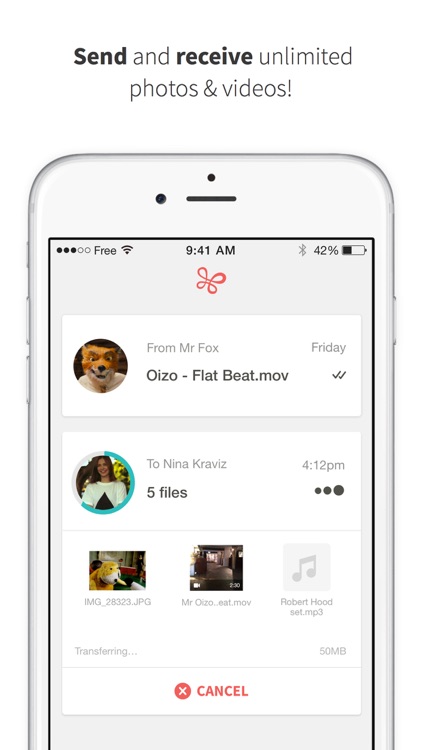
Infinit allows sending any file (photo, video or else) to your friends, but also moving files between your own devices: smartphone, tablet and desktop computer (Apple and non-Apple devices alike).
• No limitations: unlimited video length, number of photos and file size.
• Fast: up to 30x faster than cloud-based solutions.
• High quality: full resolution photos and HD video are maintained.
• Easy: share any type of file, from any app with the iOS 8 extension.
Visit http://infinit.io to download the desktop application and ease the process of moving files between your devices.
« Infinit transfers files between all your devices in a snap » - Lifehacker
« Infinit’s new mobile apps might be the best way to transfer those pesky HD videos » - TechCrunch
------------------------------------------------------------------------------------------
Infinit boasts the fastest transfer speeds of any file transfer app thanks to a unique point-to-point technology. Infinit finds the shortest path between two devices, resulting in speeds that are up to 30 times faster than Dropbox, Whatsapp or any other file sharing tool. If you’re connected to the same WiFi network on your iPhone and Mac, you’ll be able to send a 2GB movie in less than 10 minutes.
All transfers are completely secure. This is why freelance photographers, video makers and companies like Twitter, Facebook, BBC, HBO and many more trust Infinit.
------------------------------------------------------------------------------------------
To send:
1) Tap the transfer button
2) Select as many photos and videos as you want
3) Select a contact, enter an email address or select another of your devices
4) Tap send
To receive:
1) A notification will appear for incoming transfers
2) Tap the accept button
3) Instantly view the photos or videos
Disclaimer:
AppAdvice does not own this application and only provides images and links contained in the iTunes Search API, to help our users find the best apps to download. If you are the developer of this app and would like your information removed, please send a request to takedown@appadvice.com and your information will be removed.
AppAdvice does not own this application and only provides images and links contained in the iTunes Search API, to help our users find the best apps to download. If you are the developer of this app and would like your information removed, please send a request to takedown@appadvice.com and your information will be removed.
